
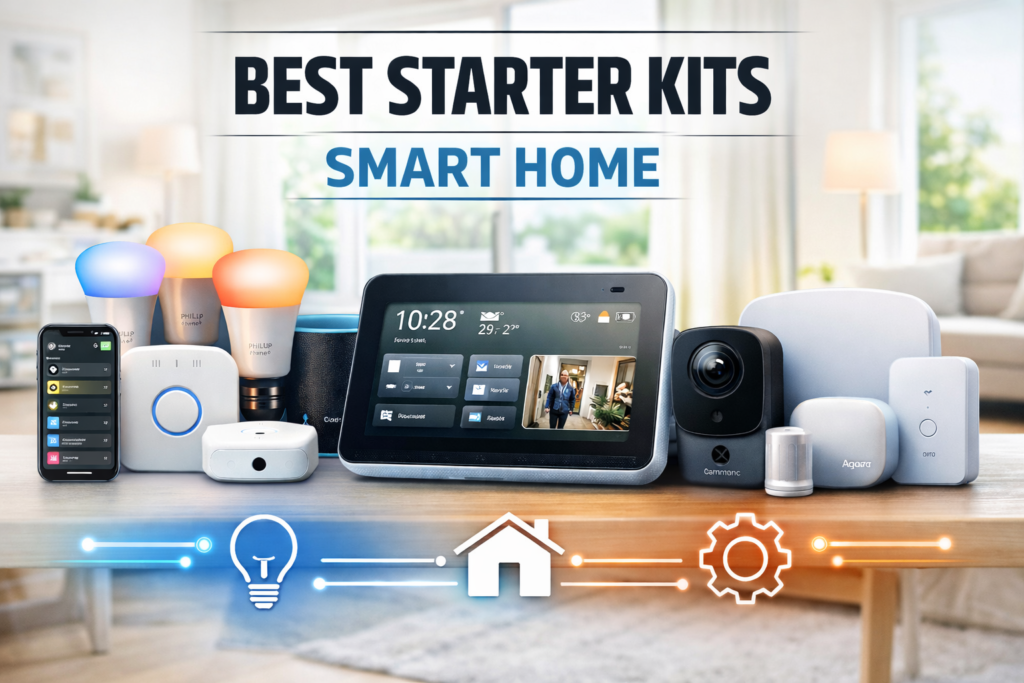
Smart homes are no longer complex tech projects — they’re becoming the natural evolution of modern living. But for beginners, the real challenge isn’t choosing gadgets. It’s understanding how devices connect, automate and work together every day.
This guide breaks down the best smart home starter kits designed to simplify automation while building a strong foundation you can expand later.
🧠 What Is a Smart Home Starter Kit and How Does It Work?
A starter kit combines essential devices — usually a hub, smart bulbs or a display — that create the foundation of a connected home.
Instead of controlling devices individually, everything communicates through one ecosystem like Alexa or Google Home.
How devices interact behind the scenes
- Sensors detect motion or temperature
- The hub processes the automation rule
- Lights, plugs or speakers respond instantly
This system turns simple actions into automatic routines that adapt to daily life.
💡 Best Smart Lighting Starter Kits for Beginners
Lighting kits are often the easiest starting point because they require no wiring and provide instant results.
Why smart lighting works well for new users
- Quick installation
- Visual impact
- Compatible with multiple ecosystems
Typical daily interaction:
- Motion sensor activates hallway lights
- Voice command changes brightness
- Sunset routine dims the house automatically
🎙️ Best Smart Display Starter Kits for Easy Control
Smart displays act as the command center of a connected home. They combine a speaker, touchscreen and automation hub in one device.
What makes display kits beginner-friendly
- Visual dashboard for all devices
- Voice control reduces complexity
- Easy automation setup
Example daily use:
- “Alexa, good morning” turns on lights and shows weather
- Camera alerts appear directly on the screen
- One tap activates Away Mode
🔗 Best Smart Home Hub Starter Kits for Automation
If lighting is the entry level, hubs are the foundation for long-term smart homes.
Modern hubs support Matter, Zigbee and Thread — allowing devices from different brands to work together.
Real automation example
- Door sensor detects entry
- Lights turn on
- Smart lock engages
- Thermostat adjusts automatically
This is where devices stop being gadgets and become a coordinated system.
⚙️ How All Smart Devices Work Together in a Real Home
Think of your smart home as three layers:
Layer 1 — Connectivity
Wi-Fi, Thread or Zigbee connect devices wirelessly.
Layer 2 — Ecosystem
Alexa or Google Home becomes the central brain.
Layer 3 — Automation
Rules trigger actions:
- Motion → Lights on
- Voice → Multiple devices respond
- Schedule → Energy savings activate
For beginners, this structure keeps the system simple while allowing future expansion.
🏡 A Day Inside a Beginner Smart Home
Morning:
- Alarm ends → lights brighten gradually
- Coffee maker plug activates
- Weather plays through smart display
Afternoon:
- Doorbell camera sends phone alert
- Motion sensor turns on entry lights
Night:
- “Goodnight” routine locks doors
- Lights dim automatically
- Security sensors activate
Automation becomes invisible — and that’s the goal.
⚖️ Lighting vs Display vs Hub Starter Kits — Which One Should You Choose?
Lighting Kits
Best for first-time users who want instant results.
Smart Displays
Best for homes that want voice-controlled automation.
Automation Hubs
Best for users planning a fully connected ecosystem.
Many beginners combine lighting + a smart display as their first setup.
❓ Frequently Asked Questions
Are smart home starter kits hard to install?
No. Most are plug-and-play and guided through an app.
Do all devices need to be the same brand?
Not anymore — Matter allows cross-brand compatibility.
Is Alexa the best ecosystem for beginners?
It’s usually the easiest because of wide device support.
Can I expand my system later?
Yes. Starter kits are designed to grow over time.
Will smart homes increase electricity usage?
Automation often reduces energy waste through scheduling and sensors.